Every share is a statement.
Most of it is involuntary.
Three quiet leaks hiding in an ordinary photo — and the moment you take control.
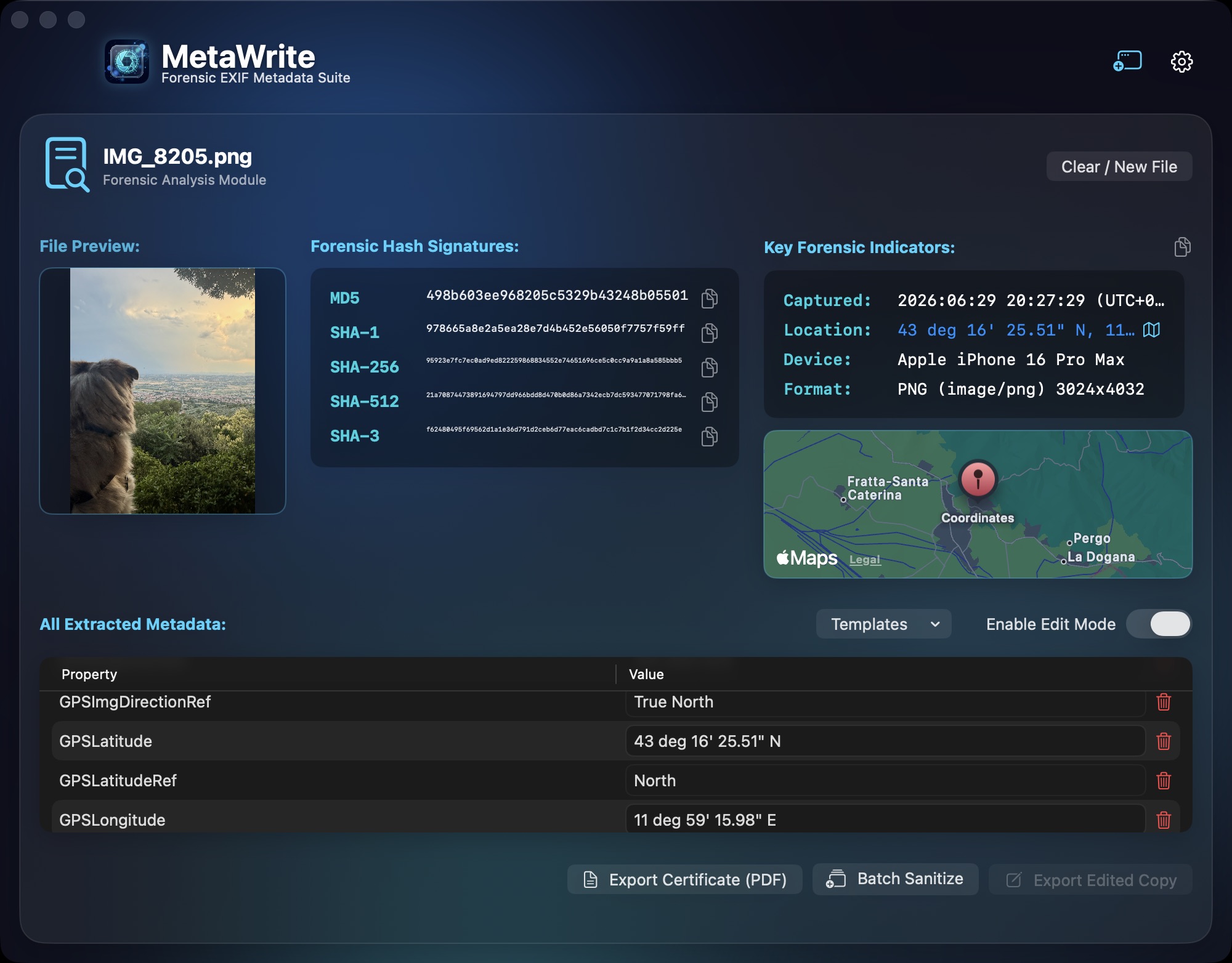
The photo you posted pins your home to within a few meters.
Serial numbers tie every shot back to the camera in your hand.
MetaWrite closes the case: rewrite the record, or erase it — with hashes of the file before and after.
One workbench.
Total metadata authority.
Images, videos, PDFs, and Office documents carry hundreds of invisible tags. MetaWrite reads them, and rewrites or removes them in images, video, audio, and PDFs. Office documents and WAV audio are read-only.
Inspect
Deep Forensic Tag Inspection
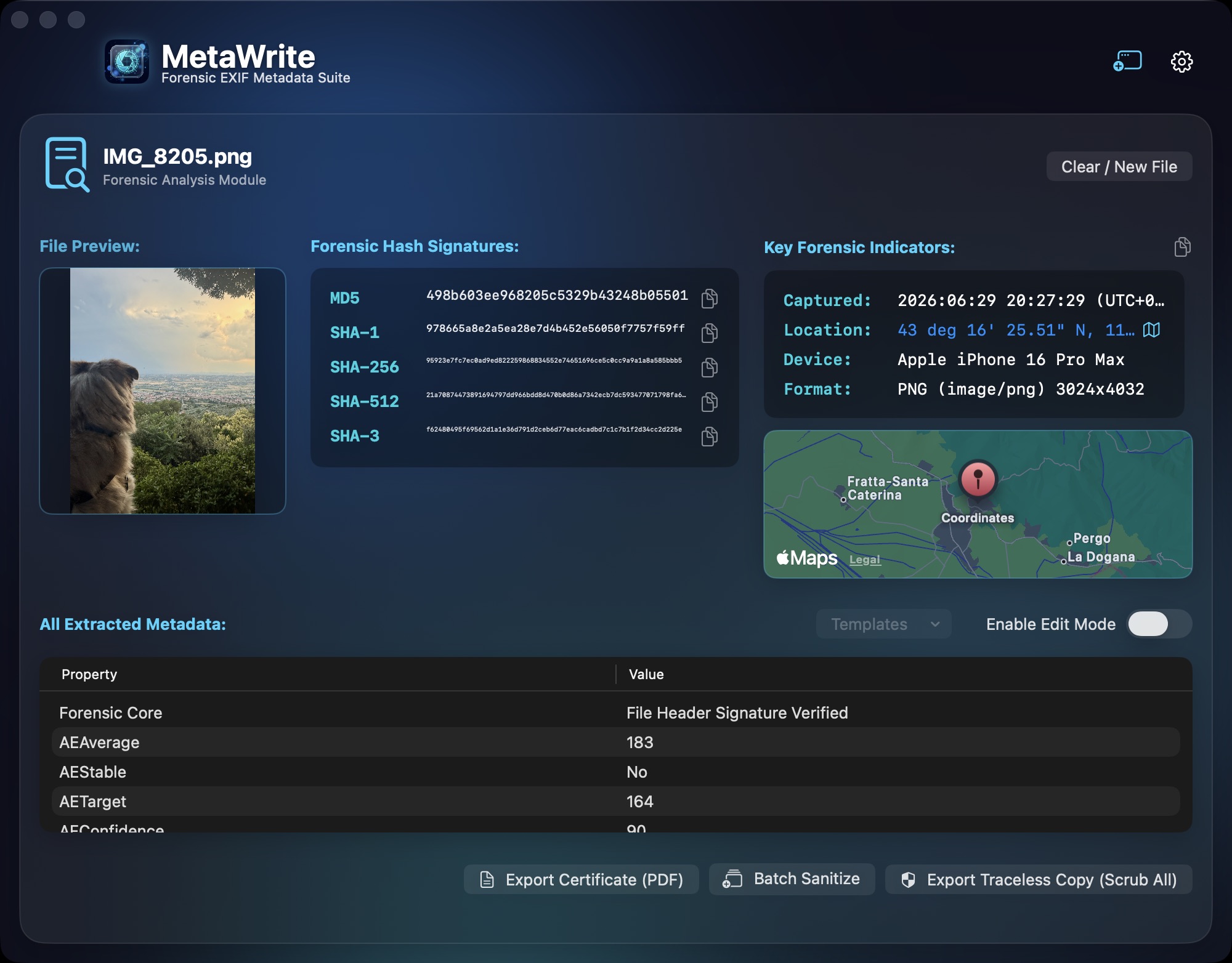
Dissect the full internal metadata architecture — EXIF, IPTC, XMP, GPS, and manufacturer maker notes — in an interactive, searchable raw-tag viewer.
Rewrite
Granular Tag Editing
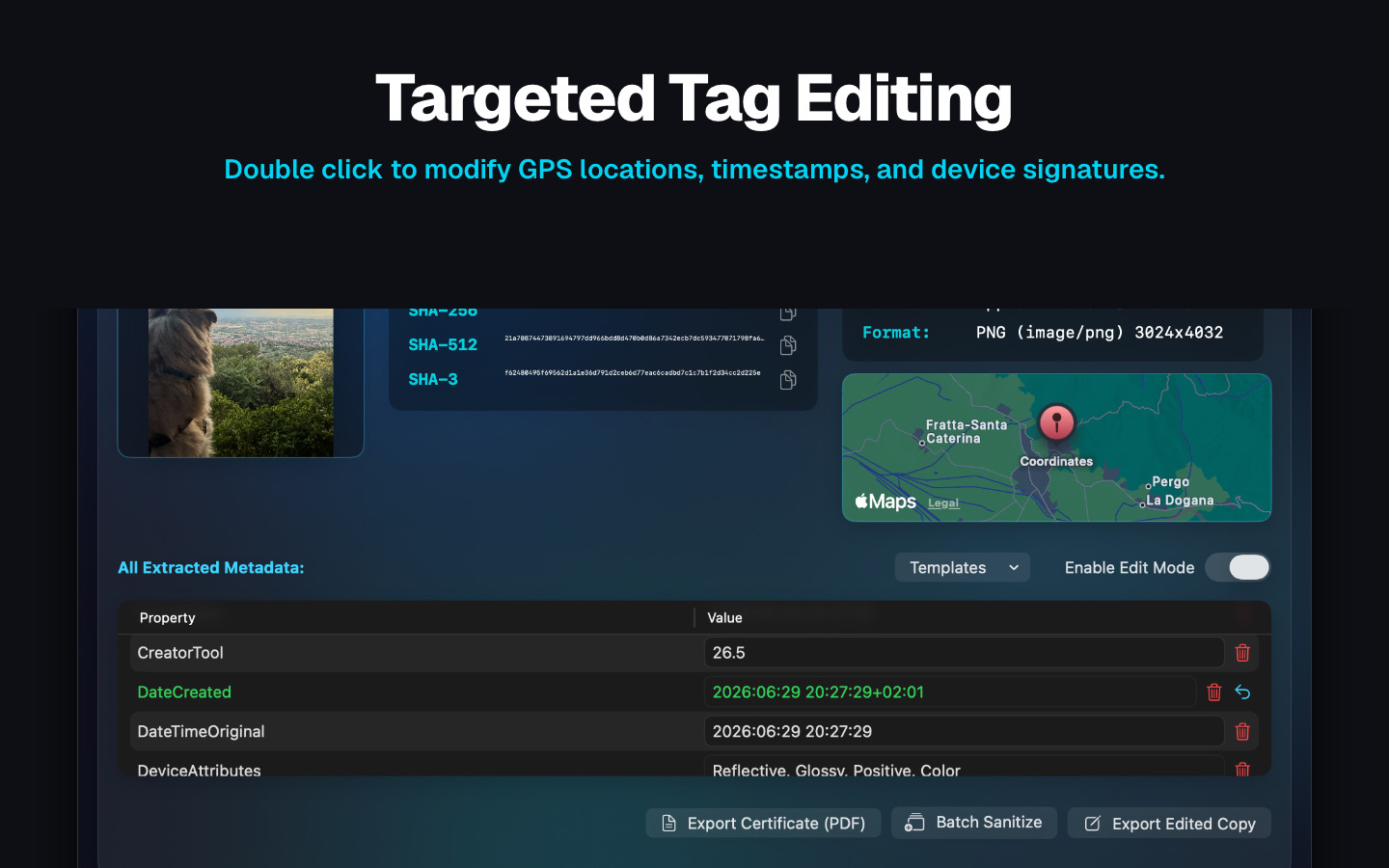
Don't just delete — change. Rewrite capture dates, GPS coordinates, camera serials, and creator tools field-by-field. Save tag-sets as reusable templates.
Scale
Batch Processing Powerhouse
Clean a whole folder, subfolders included, in one run: each file is processed in turn and saved as a new copy, and every original is only read.
Record
Hashes & PDF Certificates
Compute MD5, SHA-1, SHA-256, SHA-512, and SHA3-256 hashes and export a PDF certificate of the file, its hashes, and every change. The certificate is a printed record, not a digitally signed document.
Integrate
Native macOS Extensions
Send a file to MetaWrite from Finder's Share menu, or open a photo in MetaWrite's editing extension from inside the Photos app.
Contain
Map Privacy Switch
Geotags plot on a native Apple map, which loads the area around the photo's position from Apple. Turn on Zero Telemetry and MetaWrite shows no map and no Apple Maps link, so the coordinates are not sent. The App Store check still contacts Apple.
The workbench, up close.
Straight from the Mac App Store listing: the tools that act on everything the inspector finds.
Other tools delete metadata.
MetaWrite rewrites it.
A stripped file raises questions. A controlled file answers them. MetaWrite is a true metadata editor — every tag is a field you own.
- Rewrite any tag, field-by-field. Capture dates, GPS coordinates, device signatures, creator tools — double-click and type.
- Control file dates. Give an exported copy the original's file dates, or a fixed date (4 January 1954) that says nothing about when it was made.
- Save tag-sets as templates. Build your standard redaction or attribution profile once, apply it to every case file after.
- Originals stay untouched. Edits export as new copies, each hashed and logged.
The Evidence Lab
See what your files are saying behind your back. Open a case sample — or drop one of your own photos. Analysis runs entirely in your browser: nothing is uploaded, ever. Just like the app.
Analyze your own file
Drop a photo or click to browse
⏻ 100% local — parsed in your browser, never uploaded
Case samples
Built for rooms where
the Wi-Fi is turned off.
MetaWrite reads, edits, and hashes your files on your Mac and never uploads them. No accounts. No third-party tracking. No crash reporting. The only connections it starts by itself are to Apple: the App Store check at launch and, while Zero Telemetry is off, the map for a photo's GPS position.
A printable record of every change.
Every operation can be documented in a PDF certificate: the source file, the time the PDF was made, every change, and five hashes — MD5, SHA-1, SHA-256, SHA-512, and SHA3-256. The PDF is not digitally signed; its hashes let anyone check a file against it.
- Printable formatting — clean, readable, and unambiguous.
- Before/after documentation of exactly which tags changed and when.
- Batch logs covering entire directories in a single audit trail.
MetaWrite vs. the alternatives
Honest answer: it depends on your desk. Here is how the three roads compare.
| Capability | MetaWrite | ExifTool (CLI) | Online strippers |
|---|---|---|---|
| Interface | Native macOS app | Command line | Browser upload form |
| Files stay on your machine | Always — never uploaded, zero telemetry | Yes — runs locally | No — files are uploaded to someone else's server |
| Rewrite individual tags | Field-by-field visual editor | Flags and syntax | Mostly strip-only |
| Hash records & certificates | MD5 → SHA-512 + printable PDF certificate | Hashes via separate tooling | None |
| Batch, originals untouched | Cleaned copies; originals are only read | Scriptable — you write the safeguards | Limited, with file-size caps |
| Built for | Investigators, journalists, legal teams | Engineers and pipelines | Casual one-off use |
ExifTool is superb open-source software — plenty of forensic pipelines run on it, and we salute it. MetaWrite is for the desks that need a native interface, a documented record of hashes and changes, and files that never leave the machine.
Start free. Go Pro when it matters.
Free download from the Mac App Store. Unlock the full forensic toolkit in-app.
Install it, explore it, learn the craft.
- Dashboard & file intake — drop zone and file browsing
- Complete User Guide — EXIF, hashes & forensics
- All settings — incl. Absolute Zero Telemetry
- Not included:Metadata analysis & hashes
- Not included:Tag editing, wiping & batch jobs
- Not included:Clean exports & certificates
The full forensic toolkit, always current.
- Deep tag inspection — EXIF, IPTC, XMP & GPS
- Rewrite any tag — dates, GPS, devices, serials
- Cryptographic hashes & geolocation map
- Clean exports & file-date control
- Batch processing at scale
- PDF certificates & templates
- Share & Photos extensions
Pay once. Own it forever. No subscription.
- Everything in Annual Pro — forever
- One-time purchase — no renewals
- Every update while we support MetaWrite
- Ideal for agencies & procurement
- Pays for itself vs. four years of Annual
Questions from the field
Is MetaWrite available now?
Does MetaWrite ever send my files anywhere?
Can it change metadata, or only delete it?
What file types are supported?
Are edits destructive to my originals?
What does a certificate contain?
Mac only?
Does AirDrop or email strip photo metadata?
Don't Instagram and Facebook strip metadata anyway?
How is MetaWrite different from ExifTool?
Your files are talking.
Decide what they say.
MetaWrite is on the Mac App Store now. Take control of your files today.
Free download · Pro from $29.99/yr or $99.99 lifetime